5 Metadata Regressions We See After Deploys (And How to Prevent Them)
Metadata regressions don’t crash your site — they quietly reduce visibility, break social previews, and impact search performance after deploys. Here are five of the most common issues we see in production, and how to prevent them.
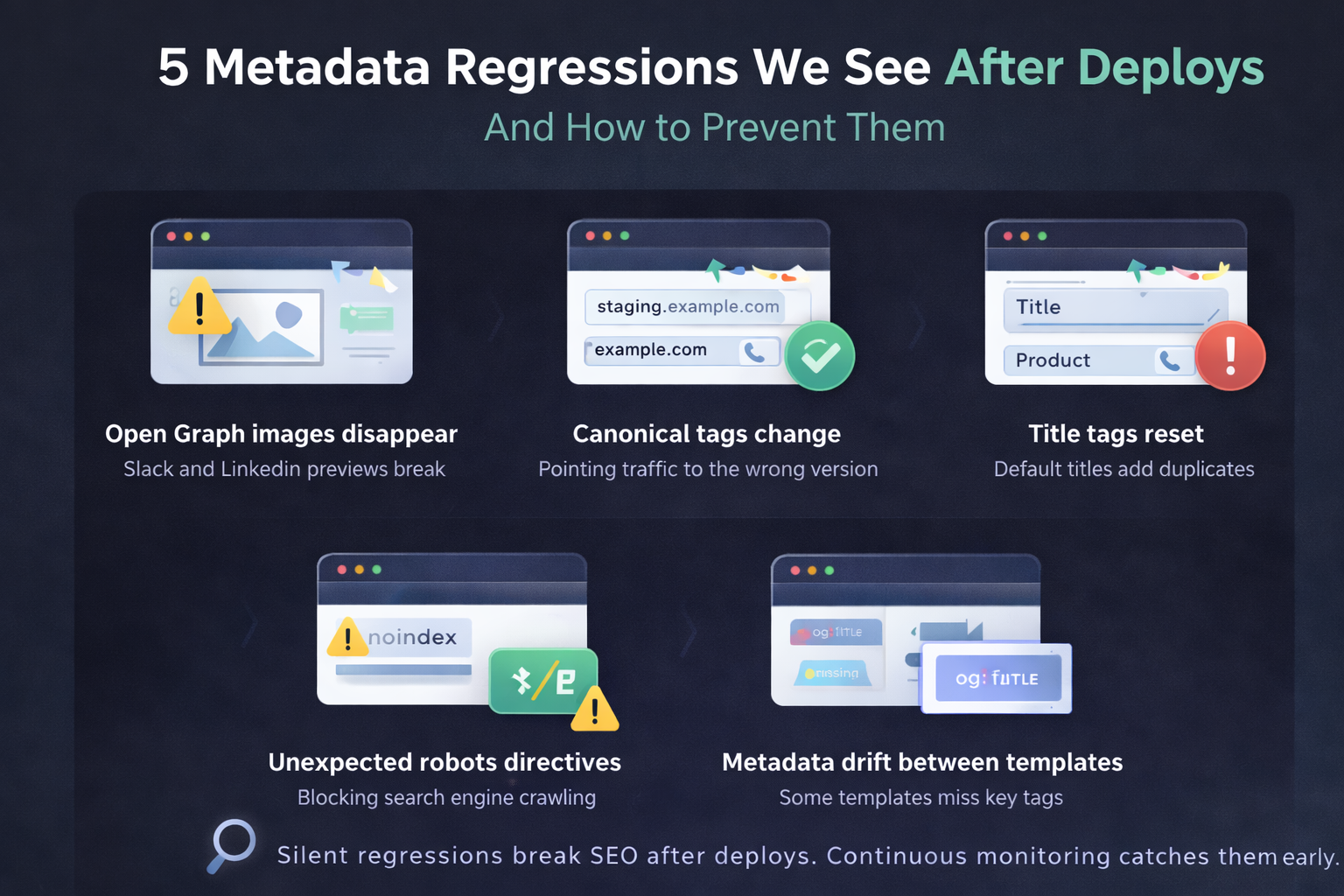
Most deploys don’t break your website.
They break something quieter.
Over the past months of scanning production sites, we’ve seen a consistent pattern:
metadata regressions happen far more often than teams expect.
They rarely trigger errors.
They rarely get caught in staging.
And they often sit unnoticed for days.
Here are five of the most common ones.
1. Open Graph Images Disappear
This is by far the most frequent regression.
A template update, CMS refactor, or build change removes the og:image tag.
Result:
- Slack previews look broken
- LinkedIn shares show default images
- CTR drops on social traffic
Why it happens:
- New page templates missing metadata logic
- Conditional rendering bugs
- Environment-specific config differences
How to prevent it:
- Monitor
og:imagepresence on key templates - Alert immediately when it changes
2. Canonical Tags Suddenly Point Somewhere Else
We’ve seen canonicals change to:
- Staging domains
- HTTP instead of HTTPS
- Homepage instead of page-specific URL
- Incorrect language variants
This doesn’t break the page.
But it can:
- Confuse search engines
- Dilute rankings
- Cause indexation issues
Why it happens:
- Hardcoded base URLs
- Build config changes
- Environment variables not updated
Prevention:
- Monitor canonical consistency
- Trigger scans after deploy
3. Title Tags Reset to Defaults
Example:
Instead of:
“Pricing – Product Name”
It becomes:
“Product Name”
Or worse:
“Home”
Often caused by:
- Layout component refactors
- Missing props in page-level metadata
- SSR/CSR mismatches
Impact:
- Lower CTR
- Duplicate titles
- Ranking drops over time
Prevention:
- Snapshot titles on critical pages
- Compare before/after deploy
4. Robots Directives Change Unexpectedly
This one is dangerous.
We’ve seen:
noindexaccidentally pushed to productionnofollowadded globally- Robots tags missing entirely
These mistakes don’t show up in UI.
But they can:
- Remove pages from search
- Disrupt crawling
Prevention:
- Monitor robots meta tags on priority URLs
- Alert on any directive change
5. Metadata Drift Between Templates
This is subtle.
Some pages update correctly. Others don’t.
Example:
- Blog pages have correct metadata
- Landing pages missing description
- Product pages missing OG tags
This usually happens when:
- Multiple rendering paths exist
- Teams update some templates but not others
Prevention:
- Monitor representative URLs per template
- Expand coverage gradually
Why These Issues Slip Through
Because:
- They don’t break functionality
- They don’t trigger uptime monitors
- They don’t throw visible errors
- They aren’t covered in most test suites
Modern CI pipelines test code.
They rarely test metadata.
The Real Cost of a Silent Regression
A broken deploy might cost minutes.
A metadata regression might cost:
- Reduced CTR
- Lower social engagement
- Temporary ranking drops
- Brand perception issues
And you usually discover it late.
How Teams Prevent This Today
Most teams:
- Discover issues manually
- Rely on marketing to notice
- Check metadata ad-hoc
- Fix things reactively
A few teams:
- Run metadata checks after every deploy
- Send Slack alerts on change
- Keep history of tag changes
Those teams don’t get surprised.
A Better Default
Metadata is part of your production surface.
It should be monitored like uptime or performance.
The safest workflow is:
Deploy → Automatic scan → Slack alert if anything changed → Fix immediately
It takes minutes to set up.
But it prevents days of silent impact.
Related articles
TRY SHARESCAN
Run a free 10-URL scan on your pages
Paste a few URLs (or a domain/sitemap) and run the same metadata checks we use for social preview QA and regression monitoring.
No signup for your first scan. Open the report, review issues, then connect Slack if you want alerts.
After scan completion, connect Slack and send a test report.
Up to 10 URLs. We will dedupe and validate automatically. Prepared 0 / 10 unique URLs.