Your Product Pages Are Losing Clicks Because og:image Is Missing
When a product link is shared on Slack, LinkedIn, or X, a missing og:image means no preview image — just a blank card that gets ignored. One in five ecommerce product pages has this problem right now.
Every time someone shares a product link, your brand is on the line.
When a URL is shared in Slack, LinkedIn, X, or messaging apps, the preview is generated from Open Graph tags embedded in the page's HTML. The most important of these is og:image — the tag that controls the preview image. Without it, the preview often results in a blank preview card — one that users are far less likely to click.
That blank card is what your potential customers see. No image, no context, no reason to click.
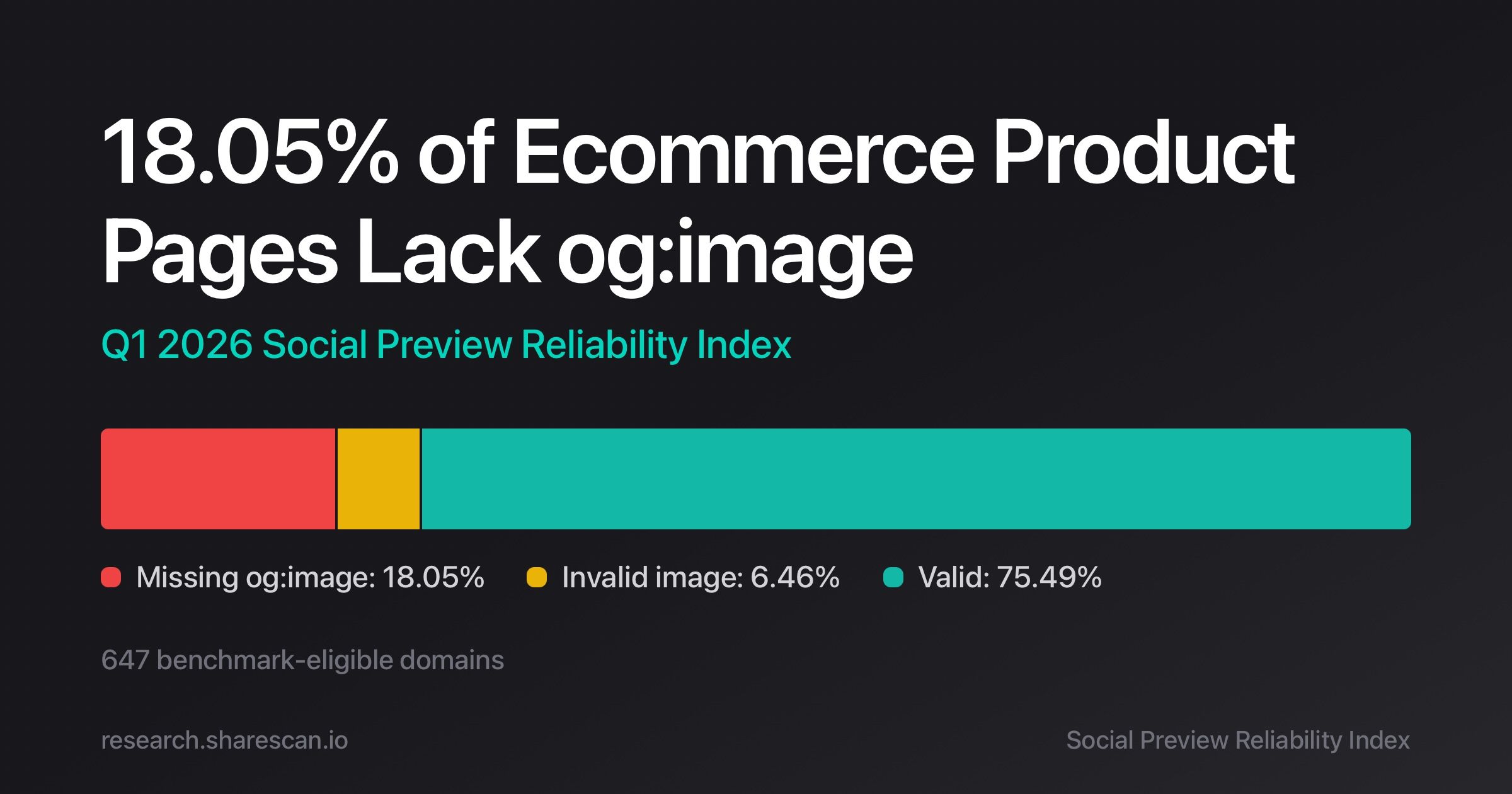
In the Q1 2026 snapshot of the Social Preview Reliability Index, we analyzed 647 benchmark-eligible retail ecommerce domains. One of the clearest patterns was the frequency of missing preview images.
This is rarely caused by a single page error. In most cases, it originates in the way product templates generate metadata.
What Breaks When og:image Is Missing
1<meta property="og:image" content="https://example.com/product-image.jpg" />
When a link is shared, platforms fetch the page's HTML and extract metadata such as:
- og:title
- og:description
- og:image
The preview card is built directly from this information — and if og:image is absent, the card is broken before it's even seen.
Because preview crawlers typically do not execute JavaScript, so these tags must be present in the initial HTML response — not injected later by the browser.
Why Your Product Pages Keep Losing Their Preview Image
Missing preview images are rarely a one-off page error. Based on patterns observed across the benchmark cohort, they almost always trace back to structural issues in how product templates generate metadata.
1. Template misconfiguration
Product templates often generate metadata dynamically — and when the logic that inserts og:image is inconsistent or conditional, some product pages silently drop the tag.
This is especially common when:
The result is a subset of product pages that look fine in a browser but produce broken previews when shared.
- legacy templates coexist with newer ones
- multiple rendering systems are used
- metadata logic diverges across product types
2. Client-side rendering (CSR)
Some ecommerce stacks inject Open Graph tags via JavaScript after the page loads. This is a silent failure: the page looks correct in a browser, but preview crawlers never see the tags.
Platforms like Slack and LinkedIn fetch only the initial HTML response and do not run client-side scripts.
If metadata is added via CSR, the crawler never sees it — and the preview image never appears.
In practice this means the tags must be present in the first server response, not added later in the browser.
Even when og:image is technically present, a slow or oversized image can cause the same broken-preview outcome.
3. Oversized images or heavy payloads
Preview crawlers enforce limits on image size and response time.
If the referenced image:
- is extremely large
- loads slowly
- requires heavy processing
the crawler may fail to fetch it — resulting in a broken preview even though the tag exists in the HTML.
To avoid this, follow these best practices:
- use images around 1200×630
- keep file size reasonable
- ensure fast CDN delivery
4. Inaccessible image URLs
A tag can exist and still fail. If the image URL is inaccessible to the crawler, the preview breaks just as completely as if the tag were missing.
Common causes include:
- private storage buckets
- authentication-protected URLs
- blocked CDN paths
- expired signed URLs
In each case, the crawler cannot retrieve the image and the preview fails — silently, and at scale.
One Template Bug, Thousands of Broken Previews
The most damaging pattern in the benchmark isn't isolated page errors — it's metadata drift at the template level.
Once a template introduces a metadata inconsistency, the issue propagates across hundreds or thousands of product pages simultaneously.
A single change can trigger it:
• template refactoring
• deployment changes
• image pipeline updates
• migration between rendering systems
These changes rarely break previews in development environments, which is why the damage often goes undetected until customers start sharing links externally.
How to Find Out If Your Pages Are Affected
Don't wait for a customer to report a broken preview. The fastest way to check is to inspect the HTML of a product page directly.
Look for the Open Graph tag in the initial server response:
1<meta property="og:image" content="https://example.com/product-image.jpg">Verify all of the following:
- the tag exists
- the URL is publicly accessible
- the image loads quickly
- the tag appears in the server-rendered HTML
If the tag only appears after JavaScript executes, preview crawlers will miss it — and your previews will be broken for every platform that doesn't render JS.
The Scale of the Problem: What the Benchmark Found
The numbers from the Q1 2026 snapshot make the scale of this problem hard to ignore. Across the 647 domains analyzed:
- 18.05% of product pages lacked an og:image tag
- 6.46% referenced invalid or inaccessible images
Combined with other metadata inconsistencies, this points to a systemic problem — not a handful of edge cases.
Preview reliability is largely determined by template governance. Fix the template, and you fix the problem at scale.
Explore the Full Snapshot
The full Q1 2026 dataset — including distribution analysis and methodology — is available here:
https://research.sharescan.io/
The site also includes a lookup that allows you to check structural preview signals for individual domains.
Stop Finding Out When a Customer Tells You
The Social Preview Reliability Index provides periodic public snapshots of metadata reliability — but by the time a snapshot is published, your pages may have been broken for weeks.
For teams that need continuous visibility into metadata regressions between snapshots — before customers notice — operational monitoring is available at:
Frequently Asked Questions
Social platforms generate previews from the initial HTML response of a page. If og:image is missing, injected via client-side JavaScript, or references an inaccessible URL, the preview image won't appear. Check that the tag exists in the server-rendered HTML and that the image URL is publicly accessible.
No. Most social preview crawlers fetch the server-rendered HTML only and do not execute client-side JavaScript. Open Graph tags must be present in the first HTML response returned by the server — not added later by the browser.
Most platforms recommend images around 1200×630 pixels. Keep file sizes reasonable and ensure fast CDN delivery. Images that are extremely large or slow to load may fail to render in previews even when the tag is present.
Inspect the raw HTML of the page — not the browser-rendered view — and look for the og:image meta property. Confirm the image URL is publicly accessible, loads quickly, and is present in the server-rendered HTML before any JavaScript runs.
TRY SHARESCAN
Run a free 10-URL scan on your pages
Paste a few URLs (or a domain/sitemap) and run the same metadata checks we use for social preview QA and regression monitoring.
No signup for your first scan. Open the report, review issues, then connect Slack if you want alerts.
After scan completion, connect Slack and send a test report.
Up to 10 URLs. We will dedupe and validate automatically. Prepared 0 / 10 unique URLs.