Next.js Open Graph Image Not Showing: Inheritance, Streaming and Image Files
Trace a missing Next.js preview image with a runnable, version-pinned example. Compare nested metadata, complete HTTP responses and file-based image behavior.
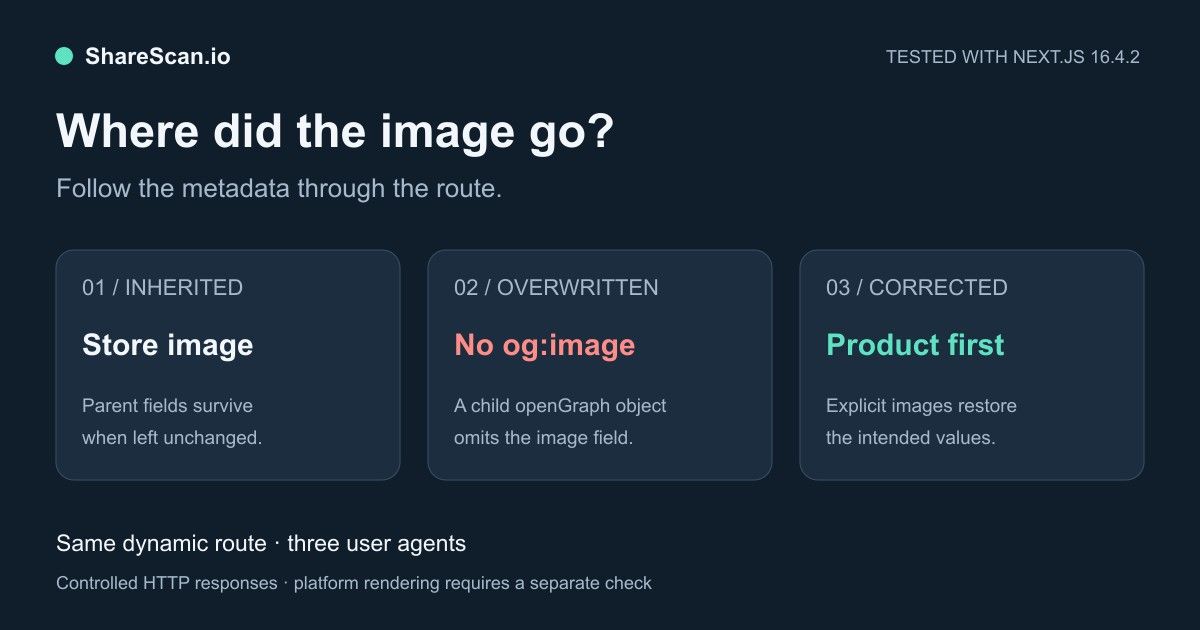
When a Next.js page loads but its shared image is missing, first inspect the metadata your route returns. Changing image dimensions will not restore an og:image tag that disappeared when a child route replaced its parent's openGraph object.
There are two separate questions: which metadata values were resolved, and where did they appear in the response for the requesting client? This guide tests both with the same dynamic product route, then checks a route that also contains an image metadata file.
Reproduce the example
Download the standalone demo, extract it, and run these commands inside its directory:
1npm ci --ignore-scripts2npm run reproduceThe demo pins Next.js 16.4.2 and React/React DOM 19.3.1, with a lockfile. We tested it using Node.js 24.8.0. It runs a production build and local server, checks nine product responses and two file-image cases, saves the returned HTML and results, then stops the server.
It uses default htmlLimitedBots, a deliberately dynamic route and no Cache Components. A 180 ms delay inside generateMetadata makes streaming visible. These are local HTTP observations, not requests from Facebook or Slack infrastructure or screenshots of their rendered cards. Timing values are not a performance comparison.
1. Identify the metadata owner
The demo's root layout sets an image and some shared Open Graph fields:
1export const metadata = {2 metadataBase: new URL(process.env.DEMO_ORIGIN || 'http://127.0.0.1:3210'),3 openGraph: {4 type: 'website',5 siteName: 'The example store',6 title: 'The example store',7 images: [{ url: '/cards/store.png', width: 1200, height: 630 }],8 },9}The loopback address is only for this local fixture. For a public deployment, configure the intended public origin and verify the absolute image URL in the output. A correct relative path combined with the wrong host still names the wrong resource.
Next.js resolves metadata through the route hierarchy and merges it shallowly. A child that defines openGraph replaces that nested object; it does not automatically keep omitted image fields. The parent argument gives access to resolved parent metadata when you want to extend it. Next.js metadata reference.
2. Compare the broken and corrected route
In /products/[slug]/page.jsx, the broken variant returns:
1return {2 title,3 description,4 alternates: { canonical: url },5 openGraph: { title, description, url },6}That child object contains no images. In the complete response, our test finds no og:image for any of the three tested user agents. The image file itself is still present; the route has stopped naming it.
The corrected variant intentionally carries forward shared fields and places the product image first:
1const inherited = await parent2return {3 title,4 description,5 alternates: { canonical: url },6 openGraph: {7 ...inherited.openGraph,8 title,9 description,10 url,11 images: [12 { url: '/cards/atlas.png', width: 1200, height: 630, alt: 'The Atlas product image' },13 ...(inherited.openGraph?.images ?? []),14 ],15 },16}The code is inside generateMetadata; the full function, awaited route parameters and controlled delay are in the download. Copy only parent fields that are appropriate for your route. If a generic store image is not a useful alternative, supply just the product image instead of retaining the inherited list.
Our three variants produced:
| Variant on the same route | Image values in the complete response | What it establishes |
|---|---|---|
| Child leaves `openGraph` alone | `/cards/store.png` | A default image can survive while still being too generic for the product |
| Child replaces `openGraph`, omits `images` | No `og:image` | The missing image is a metadata-resolution problem |
| Child explicitly supplies and extends images | `/cards/atlas.png`, then `/cards/store.png` | The intended product image is present first in the output |
These paths are made absolute against the demo origin. The harness fetched every emitted product-case image and checked HTTP 200, PNG content and 1200×630 dimensions. It did not establish which image a real platform ultimately displays. Multiple image values are supported by the Open Graph protocol; they are not automatically duplicate-tag errors.
3. Compare complete responses for the relevant client
For the corrected route, we observed:
| Request user agent | Where the Open Graph tags appeared in the raw response | Image values |
|---|---|---|
| Browser-like Chrome string | After the initial `</head>` | Product, then store |
| `facebookexternalhit/1.1` | Inside `<head>` | Product, then store |
| `Slackbot-LinkExpanding` string | Inside `<head>` | Product, then store |
The image values matched even though their placement differed. Searching only the initial head of the browser-like response would have missed streamed metadata. In the broken variant, completing the response did not restore the image: it was absent for all three clients.
Next.js documents streaming for eligible clients and blocking metadata for HTML-limited bots. Its htmlLimitedBots option replaces the default detection list when customized. The default was sufficient for the tested bot strings here. Streaming metadata, htmlLimitedBots configuration.
For a deployed page, save both responses:
1PAGE_URL='https://www.example.com/products/atlas'2curl -sS -L --max-redirs 5 \3 -A 'Mozilla/5.0 Chrome/134.0.0.0 Safari/537.36' \4 -D browser-headers.txt -o browser.html "$PAGE_URL"5curl -sS -L --max-redirs 5 \6 -A 'facebookexternalhit/1.1' \7 -D bot-headers.txt -o bot.html "$PAGE_URL"8rg -n -i 'og:image|og:title|canonical' browser.html bot.htmlThese requests use your network with chosen headers. Inspect the full files, status and final destination; they do not reproduce a platform's cache, access policy or rendering. If your own bot requires blocking metadata, inspect the configuration for your installed version and test it explicitly. A universal htmlLimitedBots: /.*/ change is not needed to correct the missing-image inheritance case above.
4. Inspect image files alongside code-based metadata
Next.js supports opengraph-image.png and related file conventions in a route segment. They can produce image tags without a manually maintained URL. Check the route tree as well as generateMetadata when an unexpected image appears. Image metadata file conventions.
The demo includes app/file-image/[slug]/opengraph-image.png. We tested two configurations of that route with the Facebook-like user agent:
| Route configuration in this fixture | Observed image |
|---|---|
| `generateMetadata` omits `openGraph.images` | The URL generated for the colocated image file |
| `generateMetadata` explicitly sets `openGraph.images` | `/cards/atlas.png` from that configuration |
Both images returned HTTP 200 with the expected dimensions. This qualifies a blanket reading of the documentation's file-priority summary: in the tested setup, an explicit image field at that level remained selected. The Next.js 16.4.2 resolver checks whether the current metadata defines images when applying file-derived images. Inspect the emitted URL for your actual version and route structure.
5. Verify the asset and the published route
Once the correct og:image appears, request that exact URL without a browser login. Check its final status, content type and file bytes. A correct metadata function can still point to a protected, expired or unpublished image. Follow the missing-image troubleshooting guide for those cases, and use the image-size reference when composition or dimensions are the issue.
Check the deployed dynamic URL after the new build and assets are available. Keep its response separate from what your development server returned. Then inspect a real share in the relevant platform and record that result separately from the HTTP checks.
Run the published URL through Link Preview Checker. After correcting it, choose optional free weekly follow-up for up to ten report pages by confirming email or explicitly starting Slack monitoring. For checks tied to releases, use the post-deploy workflow in a verified workspace. These checks help catch technical changes; they do not guarantee a particular cached card or establish a traffic increase.
Related articles
Put the guide into practice
Check the links your team shares.
Check preview images, titles and descriptions on up to 10 pages. Review the findings, then choose what to monitor.
No account or card. Choose weekly follow-ups by email or Slack after your scan.