How to Audit Open Graph Tags Across an Entire Website
Build a URL inventory, check representative templates, expand the audit and verify the fixes. Follow a controlled 12-page example with downloadable results.
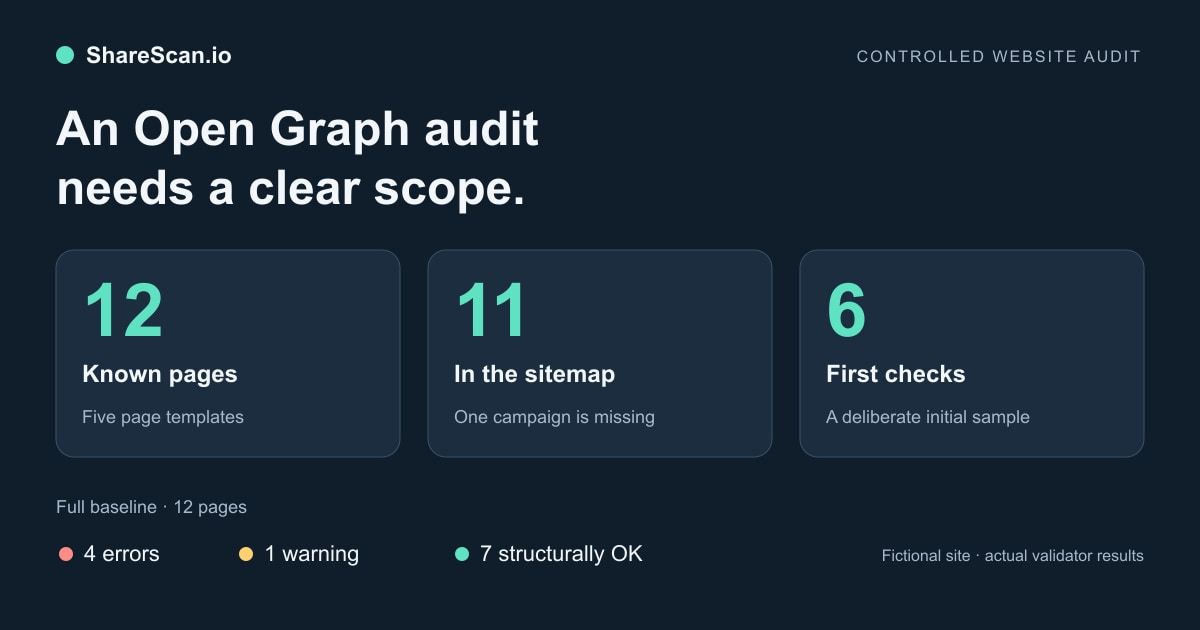
An Open Graph audit needs two answers: which pages have a problem, and which pages did you actually check? Scanning the homepage cannot establish that product, campaign and article templates return the intended metadata.
Start with a URL inventory, choose a small set of different templates, fix what it reveals, and expand the check to the agreed scope. Keep discovery failures and unchecked pages in the report. A six-page sample is useful; it is still a six-page sample.
This guide walks through a controlled 12-page site using ShareScan's actual sitemap collector and metadata validator over a local HTTPS server. The errors were deliberately introduced. The results demonstrate the process, not how common these problems are across the web or how they affect sales.
1. Define the inventory before the pass rate
Combine the site's sitemap with a CMS or route export and the landing pages your team shares. Record the source for each URL. Deduplicate exact equivalents carefully; do not collapse intentional language, product-variant or campaign URLs before examining what they return.
A sitemap can point to child sitemaps through an index. Read those files and record failures as well as discovered URLs. The Sitemaps protocol describes the index and URL-list formats. It does not establish that your published sitemap includes every page your organization cares about.
Our example has five templates:
| Template | Known pages | In sitemap | Initial sample |
|---|---|---|---|
| Homepage | 1 | 1 | 1 |
| Product | 3 | 3 | 1 |
| Collection | 2 | 2 | 1 |
| Article | 3 | 3 | 1 |
| Campaign | 3 | 2 | 2 |
| Total | 12 | 11 | 6 |
The CMS inventory adds /campaigns/spring, which is missing from the sitemap. Our known scope is therefore 12 pages. We can call the final check complete for that inventory; we cannot infer that a real site's unknown URLs were covered.
We also made one child sitemap return HTTP 503. The collector reported one failed child and returned six URLs from the remaining branch. After restoring it, discovery returned 11 URLs with zero failed children. The partial result was not an all-clear for the site.
Download an audit worksheet to record URL, template, discovery source, expected image, check time and unresolved findings. Include exclusions such as authenticated pages and intentionally unsupported environments.
2. Choose the first URLs deliberately
For the initial pass, choose pages that exercise different output paths: a product with a custom image, one using a fallback, an article, a collection, a campaign and the homepage. Add recent migrations, changed templates and frequently shared landing pages when they are relevant.
The paired homepage/product study illustrates why this selection matters. In the February 2026 sample, 70 of 421 domains whose homepage declared an image had a sampled HTTP-200 product page without the field. The comparison measures metadata presence, not rendered platform cards.
In our fixture, the six selected pages include one of each template and an extra campaign. This is a diagnostic sample, not a random sample from which to estimate a site-wide failure rate.
For your own public URLs, start with the Open Graph checker. An explicit list helps you control the initial selection. A free report covers up to ten report pages; entering a domain or sitemap should not be described as a certificate that every site URL passed. Record what the resulting report actually includes.
3. Check both structure and intended content
Inspect the fetched page's final URL, HTTP status, canonical link and metadata. The Open Graph protocol identifies og:title, og:type, og:image and og:url as its basic required properties; og:description is recommended. A tool's additional checks, such as description length or explicit Twitter Card fields, are its validation policy rather than a claim that every platform has identical requirements.
Fetch the declared image separately. Check its final status, content type and actual bytes. A working page can reference an image that returns 403 or an HTML error response. If you need a manual response capture:
1PAGE_URL='https://www.example.com/products/alpha'2curl -sS -L --max-redirs 5 -D page-headers.txt -o page.html "$PAGE_URL"3rg -n -i 'og:|twitter:|canonical' page.htmlThen request the image URL you found in that HTML:
1IMAGE_URL='https://www.example.com/og/product-alpha.jpg'2curl -sS -L --max-redirs 5 -D image-headers.txt -o preview-image "$IMAGE_URL"3file preview-imageKeep an expected-content check beside structural validation. Is this the intended product image or a generic fallback? Does the title identify this page? A valid image response cannot answer either question. Multiple og:image values can also be legitimate; inspect their order and associated fields before classifying them as duplicates. Open Graph arrays.
4. Group findings by the change that will fix them
The complete baseline in our 12-page example produced these findings:
| Affected pages | Observed finding | Corrective action in the example |
|---|---|---|
| Three product pages | Missing `og:image` and `twitter:image` | Restore the shared product-template image mapping |
| Autumn campaign | Declared image returned 403 | Make the intended asset available to unauthenticated requests |
| Launch article | `og:url` named the homepage | Correct the article's URL output |
| Winter campaign | Generic image returned 200 and passed structural checks | Replace it with the expected campaign image |
| Spring campaign | Absent from sitemap | Include it in the audit inventory and review sitemap generation |
The three product failures share a known cause in this controlled template. On a real site, matching error codes are a reason to investigate a shared template; they do not prove the cause. Open a few affected responses and compare them with the same template's healthy cases.
We count affected pages separately from individual issues. A product missing both image tags contributes one affected page and two issue records. Likewise, the winter campaign is one of the structurally OK pages while still failing our separate expected-image comparison.
5. Expand, repair and run the same inventory again
Checking the other six known pages found two more product pages with the same missing-image problem. The initial sample had identified the template issue but understated its affected-page count.
| Run | Pages checked | Pages with errors | Warning-only pages | Structurally OK | Separate expected-image mismatches |
|---|---|---|---|---|---|
| Initial sample | 6 | 2 | 1 | 3 | 1 |
| Complete baseline | 12 | 4 | 1 | 7 | 1 |
| Same 12 pages after corrections | 12 | 0 | 0 | 12 | 0 |
The last column overlaps structural status; do not add it to the other columns. Download the per-page before/after results. Paths identify fictional pages in the test site, not URLs to scan in production.
After a shared-template fix, rerun every affected page in the agreed inventory, including healthy controls. Save the check time and relevant content/deployment revision. If a URL disappeared, failed to load or was excluded from the second run, report that change rather than silently improving the denominator.
Our final run checked all 12 known pages. It did not test Slack, LinkedIn or X rendering, replace their caches, execute application JavaScript or measure visits and revenue. Inspect a representative real share in the platform you use as a separate acceptance step.
6. Choose coverage and frequency together
A one-time audit tells you what the selected URLs returned during that run. For a site that changes, decide which pages need recurring monitoring and which should be checked after a publish or deploy.
ShareScan's free report follow-up is optional: confirm email monitoring or explicitly activate Slack monitoring for up to ten report pages. For broader coverage, create a workspace, verify the domain and add a sitemap or saved pages. The Free workspace supports one site, 100 monitored pages and 2,000 checks per month. Larger plans increase the limits; check the current plans against your required coverage and frequency.
Count checks before choosing a schedule. For example, 80 pages checked weekly four times use 320 page checks, before manual checks and publishing-triggered runs. A month with five runs uses 400. A monitored-page limit is the inventory capacity, not a promise of unlimited rechecks.
Use post-deploy checks and CMS-triggered checks when those events can alter metadata. Run them after the intended public output is available. Configured sitemap failures need attention; silently changing to a smaller saved-page list can hide a coverage gap.
What to hand over
An actionable audit contains the agreed inventory, discovery failures, checked and unchecked counts, per-page evidence, grouped corrective actions, owners and a repeat check of the same scope. Keep expected-content checks and observed platform cards separate from structural results.
For a larger research comparison, make the sampling and scoring rules explicit too. ShareScan's public benchmark methodology describes a different, bounded ecommerce study; its cohort results are not this fixture's results or a measurement of lost traffic.
Start with the URLs your team actually shares. Use the first findings to fix a real template or delivery issue, then expand the audit until its coverage matches the question you need to answer.
Related articles
Put the guide into practice
Check the links your team shares.
Check preview images, titles and descriptions on up to 10 pages. Review the findings, then choose what to monitor.
No account or card. Choose weekly follow-ups by email or Slack after your scan.